Features

Everything an activity school runs on

ClassPacer covers the whole year, from the first sign-up to the last certificate. Every feature is in every plan.

Skill tracking

Check off skills right in class

Every level has its skills, grouped the way you teach them: vault, bars, beam and floor, or kicks, forms and sparring. Coaches open their class on a phone and tap a box to move a skill forward.

  • Four steps for each skill: not started, introduced, working on it, mastered
  • Ready-made skill charts for six activities, yours to rename and change
  • Keeps saving when the Wi-Fi drops, and catches up when it's back
  • Each student's page shows their chart, coach notes and what changed when
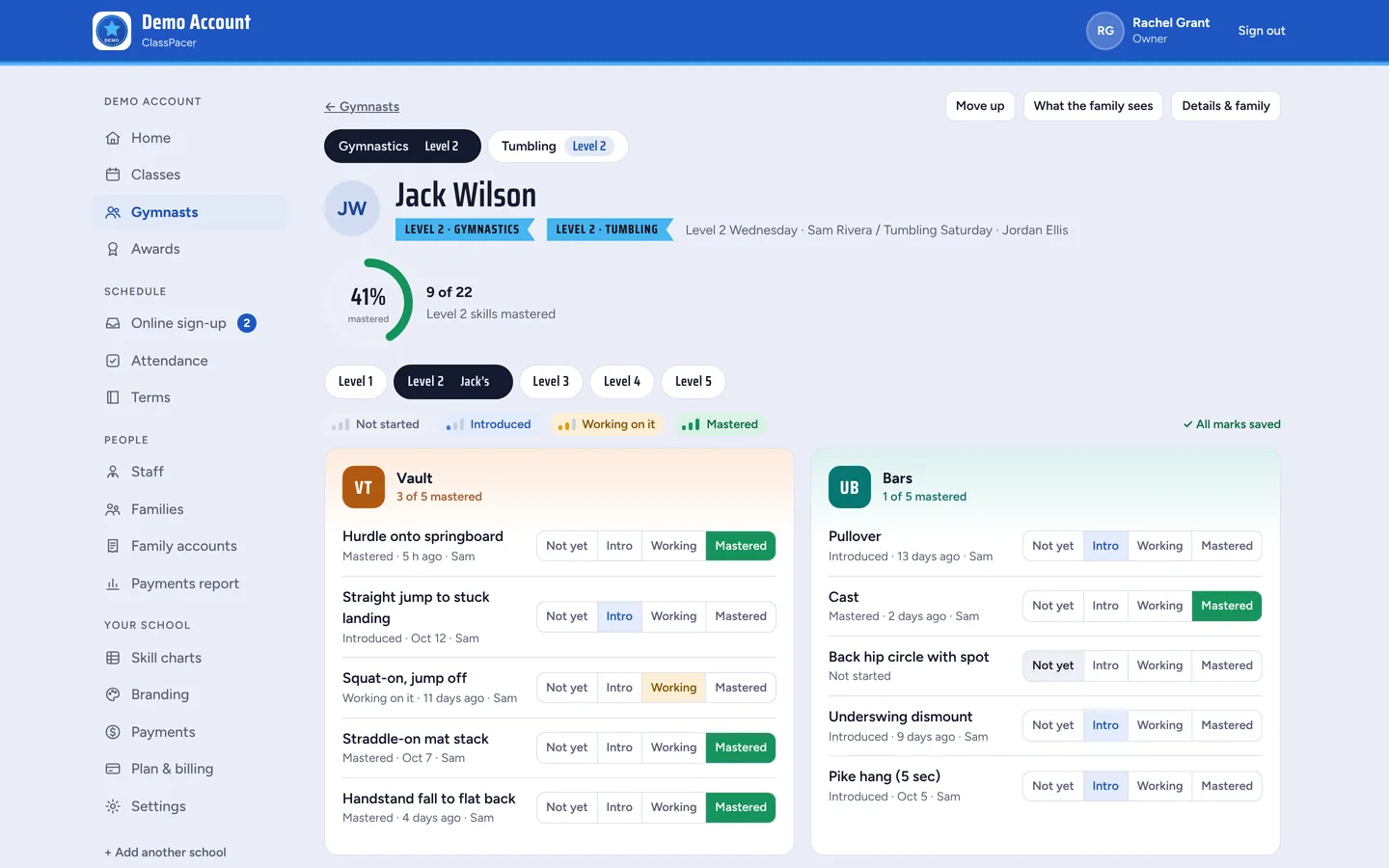
A gymnast's skill chart with each skill's progress

Certificates

Celebrate every level

When a student masters every skill in their level, they show up as ready. Award a certificate with one tap and move them up to the next level.

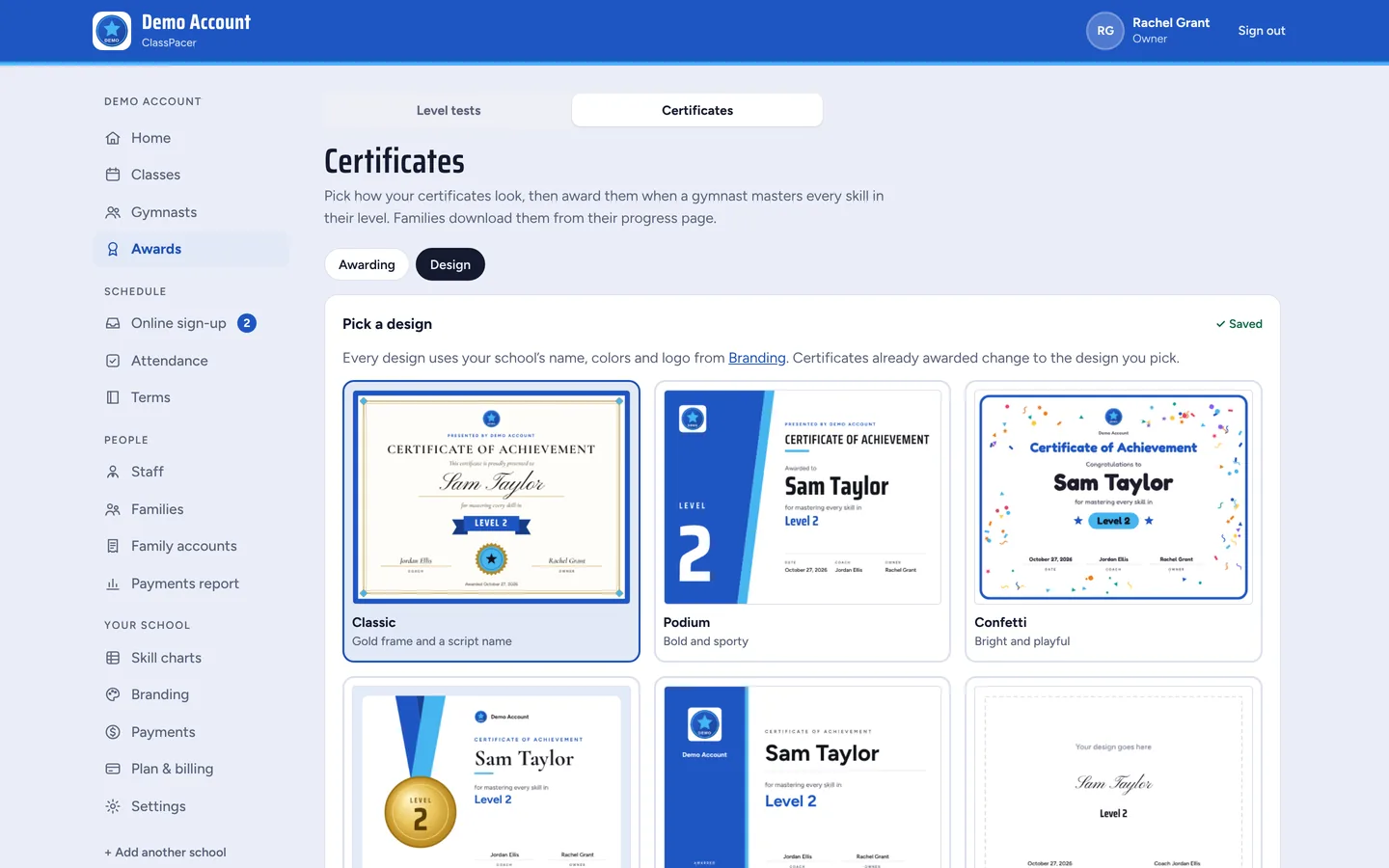
  • Five certificate designs in your school's colors, or upload your own
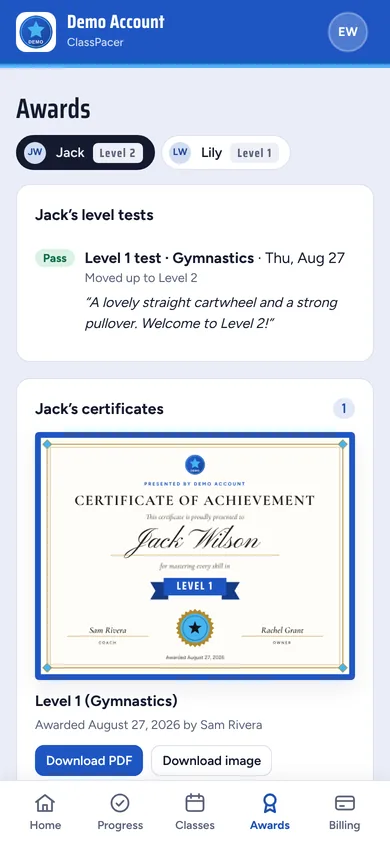
  • Families download it as a PDF or an image from their app
  • You decide whether coaches can move students up or only owners
Choosing a certificate design
A certificate in the family app

Family app

Parents see what happens in class

Parents and adult students sign in to their own simple app. It works on any phone, with no app store download.

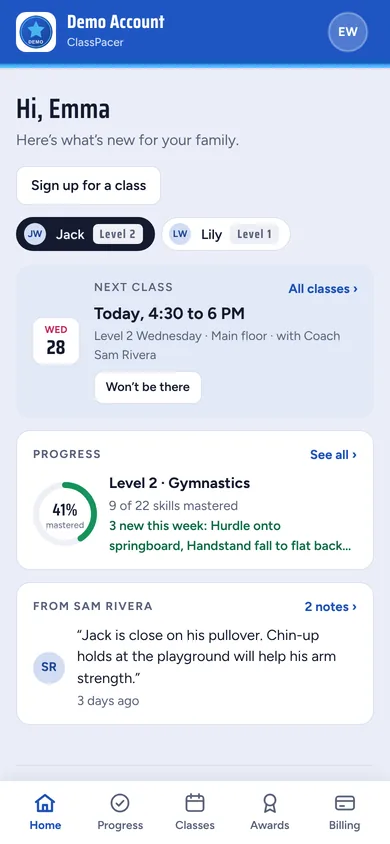
  • Home, Progress, Classes, Awards and Billing tabs
  • One login for every child in the family
  • Coach notes, upcoming tests and certificates to download
  • Tap Won't be there to tell the coach, and add classes to their calendar
A parent's home screen with the next class and progress

Branding

Looks like your school, not ours

Add your logo and pick your colors. Families see your name and look every time they sign in, and on every certificate.

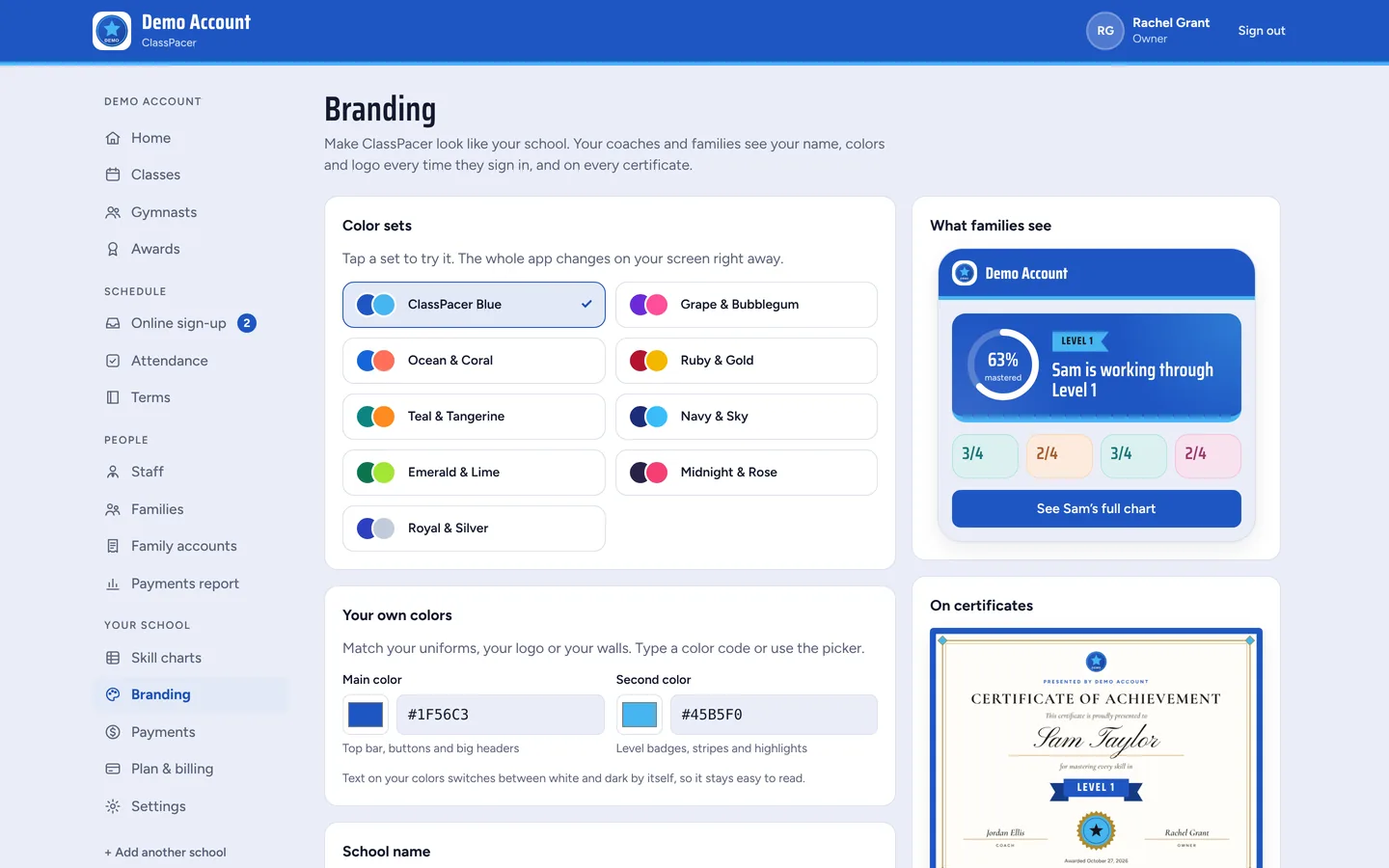
  • Nine ready color sets, or type your own colors
  • Your logo on the sign-in page, invites and certificates
  • Pick a font and text size for your school
  • Your own address, like app.classpacer.com/your-school
The Branding page with color sets and a preview of the family app

Classes and timetable

Your whole week at a glance

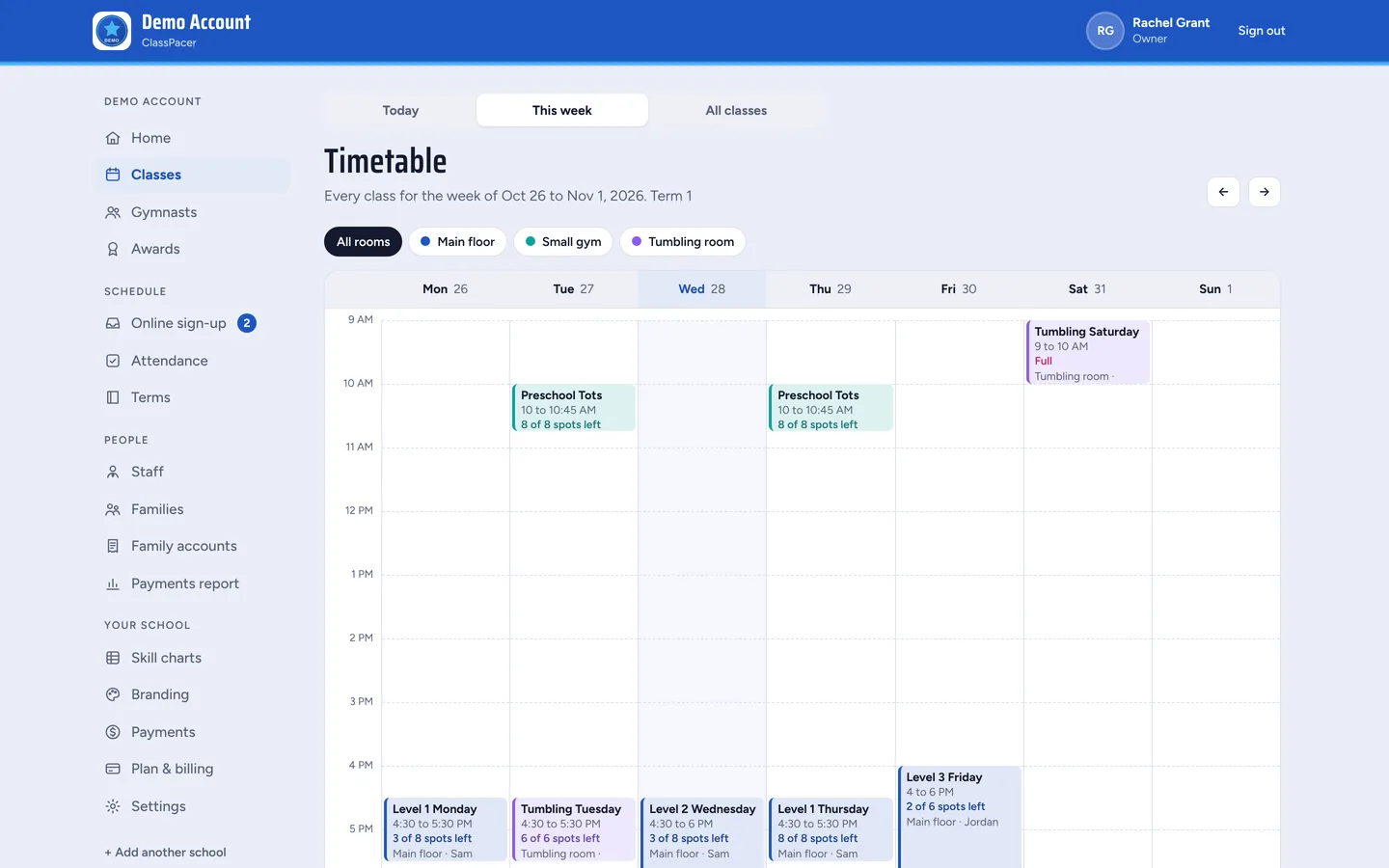
Set up terms, class times and rooms once. ClassPacer shows the week's timetable, how many spots are left and what is on today.

  • Terms with closed days, like holidays and staff training
  • Rooms, ages and class sizes, with spots left on every class
  • Class lists by term, moving a student to another class, and copying a term
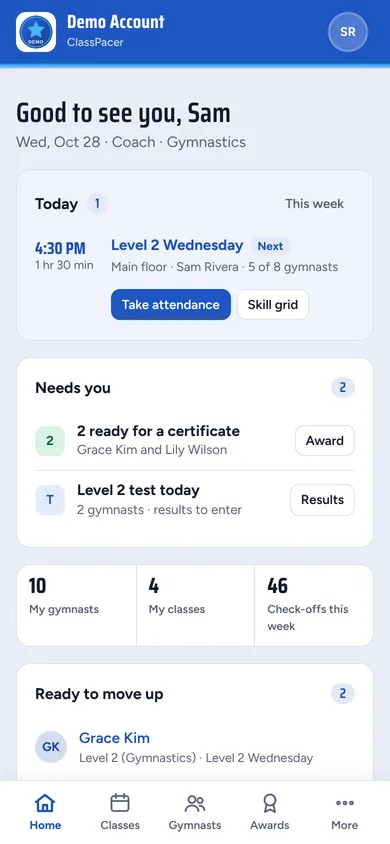
  • Coaches see their own classes on the Today screen
The week's timetable by room
A coach's Today screen on a phone

Attendance

Take the roll in seconds

Coaches mark each student present, late or absent from the Today screen, or press one button to mark the rest present.

  • Works without Wi-Fi in the gym or by the pool
  • Families can say they won't be there, so the coach knows who's coming
  • Each student's attendance history on their page and in the family app
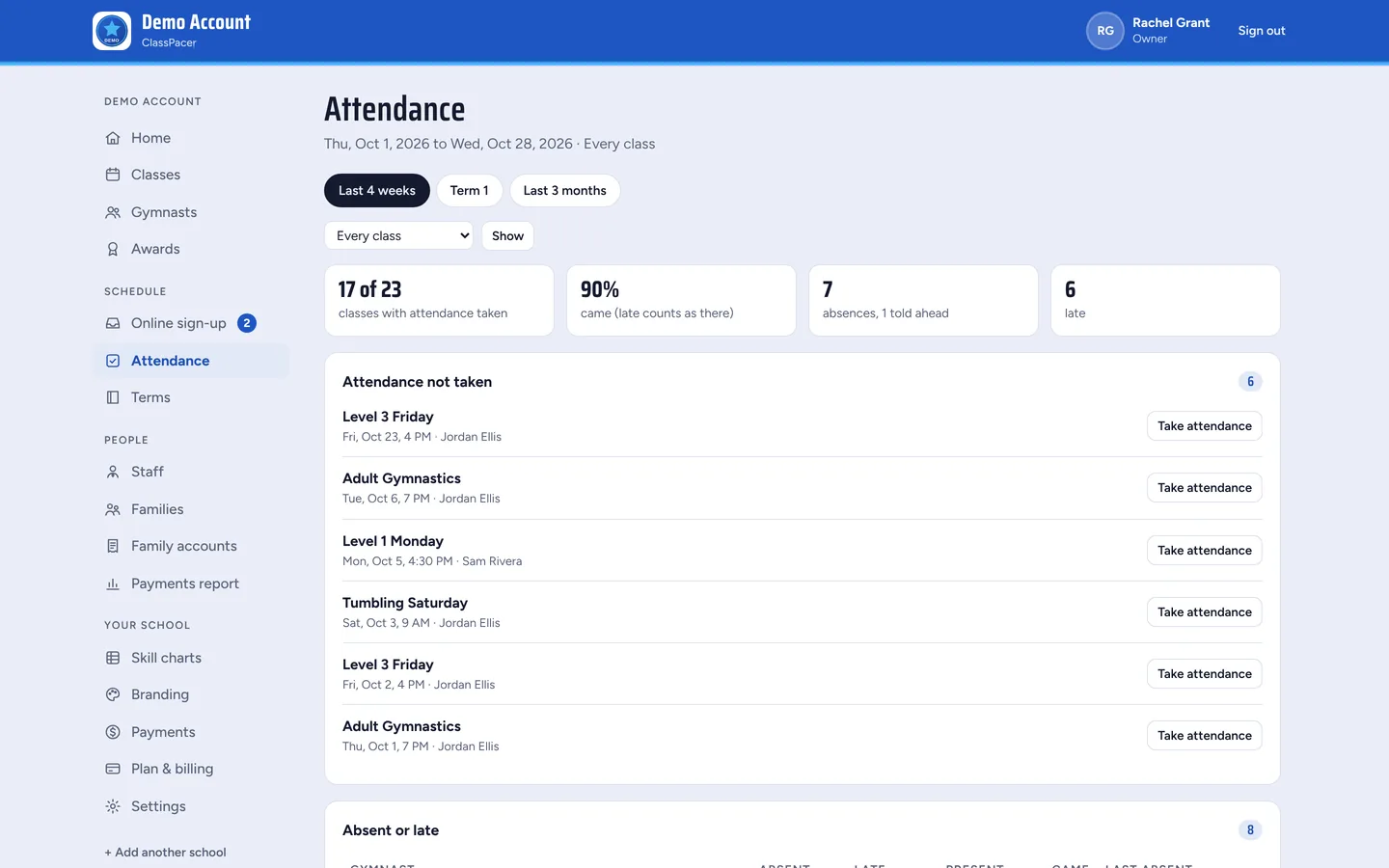
  • An attendance report for owners, with classes not yet marked
The owner's attendance report

Online sign-up

New families sign up themselves

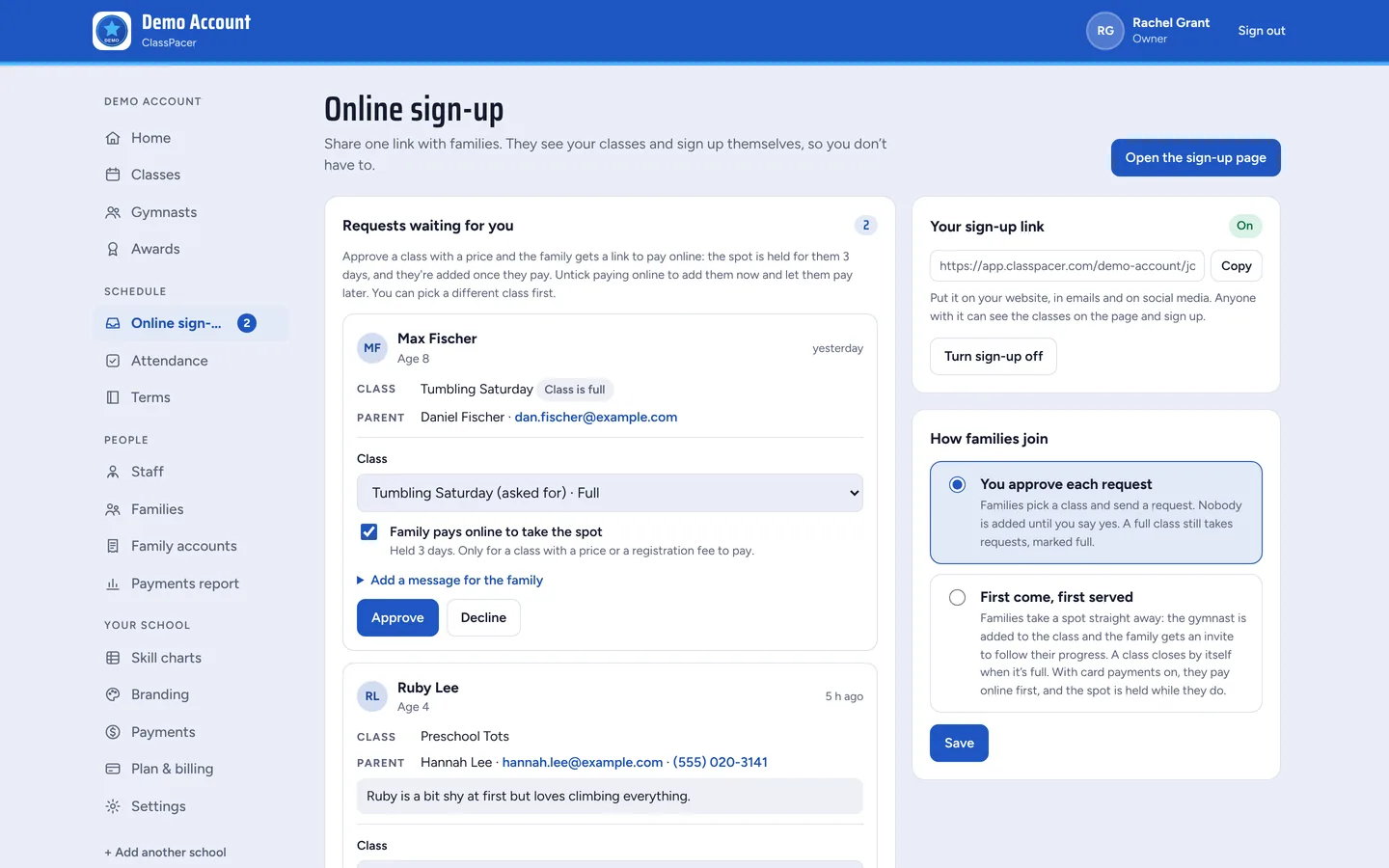
Share one link on your website, in emails or on social media. Families see your classes with prices, ages and spots left, and ask for a spot.

  • Approve each request, or let families take a spot first come, first served
  • A requests inbox: approve, decline, move to another class or send a message
  • Families get an email with their login once you say yes
  • Families can pay the first bill as they sign up
The Online sign-up page with requests waiting

Belt and level tests

Test days without the paperwork

Set a test for a level or belt, add the students who are ready, and let the coach enter results on a phone on the day.

  • Students who have mastered every skill are ticked for you
  • Pass or not yet, with a comment for the family
  • A pass awards the certificate and moves the student up
  • Families see the upcoming test and the result, and a test fee can be billed
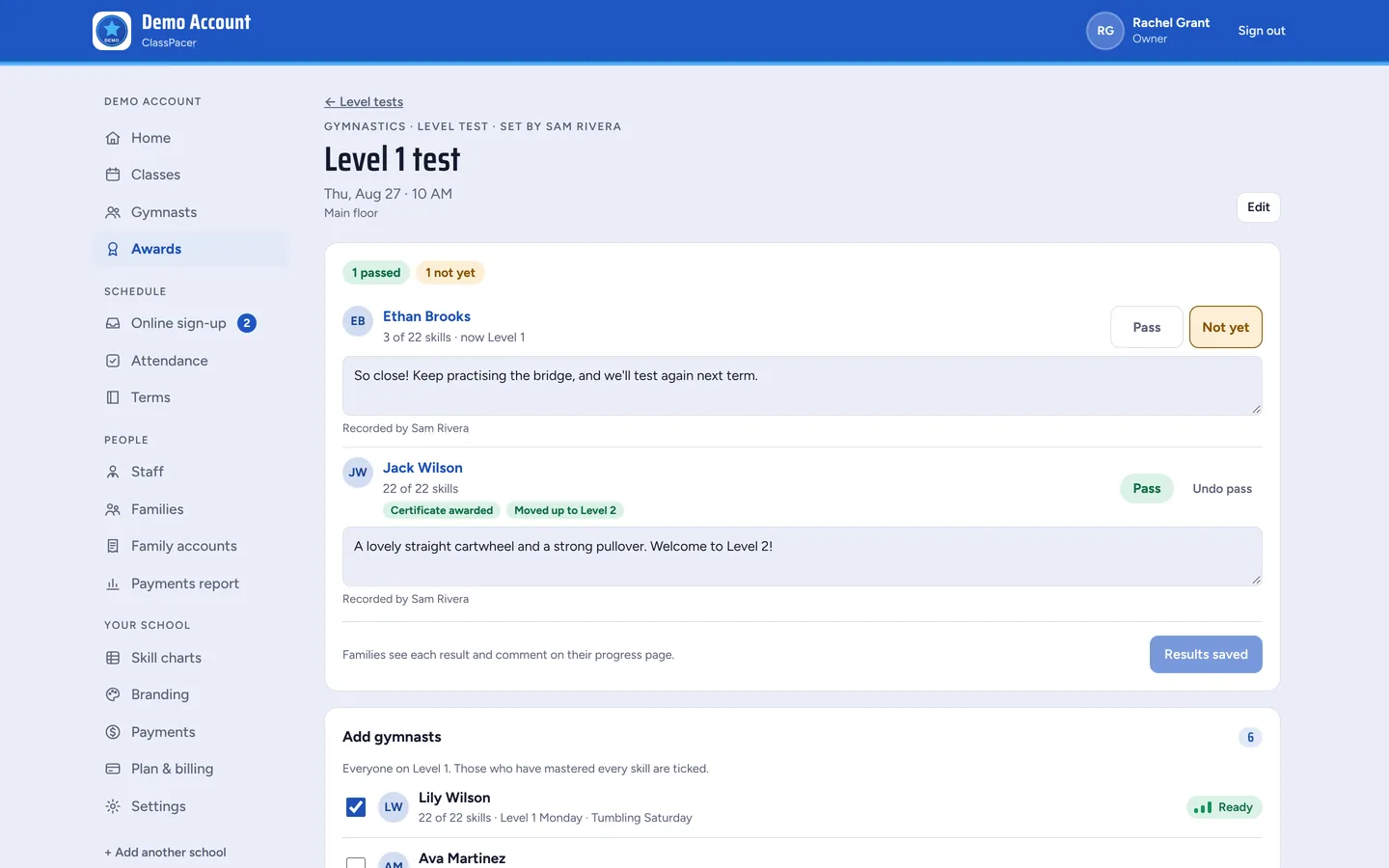
A past Level 1 test with results
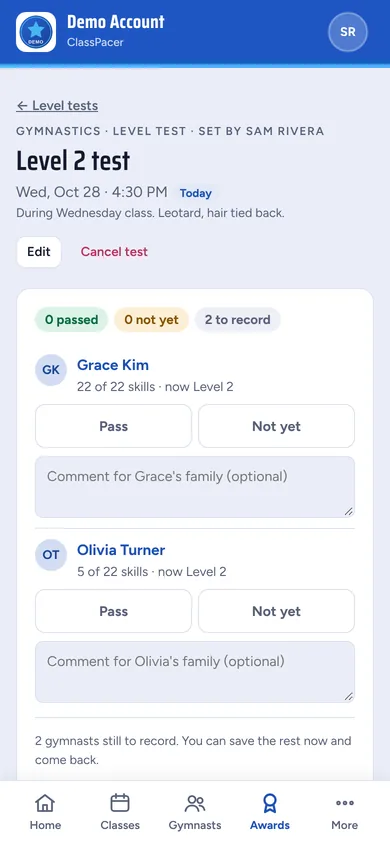
A coach entering test results on a phone

Family payments and autopay

Get paid without chasing

Connect your own Stripe account and set a price for each class. Families pay by card in their app, and money goes straight to you. ClassPacer takes no cut.

  • Monthly, term, class pack and drop-in prices
  • Registration and test fees, plus sibling or second-class discounts
  • Autopay for monthly bills, with reminder emails before bills are due
  • Record cash, checks and bank transfers, give credits and refund cards
  • An overdue list, a Payments report and spreadsheets for your accountant
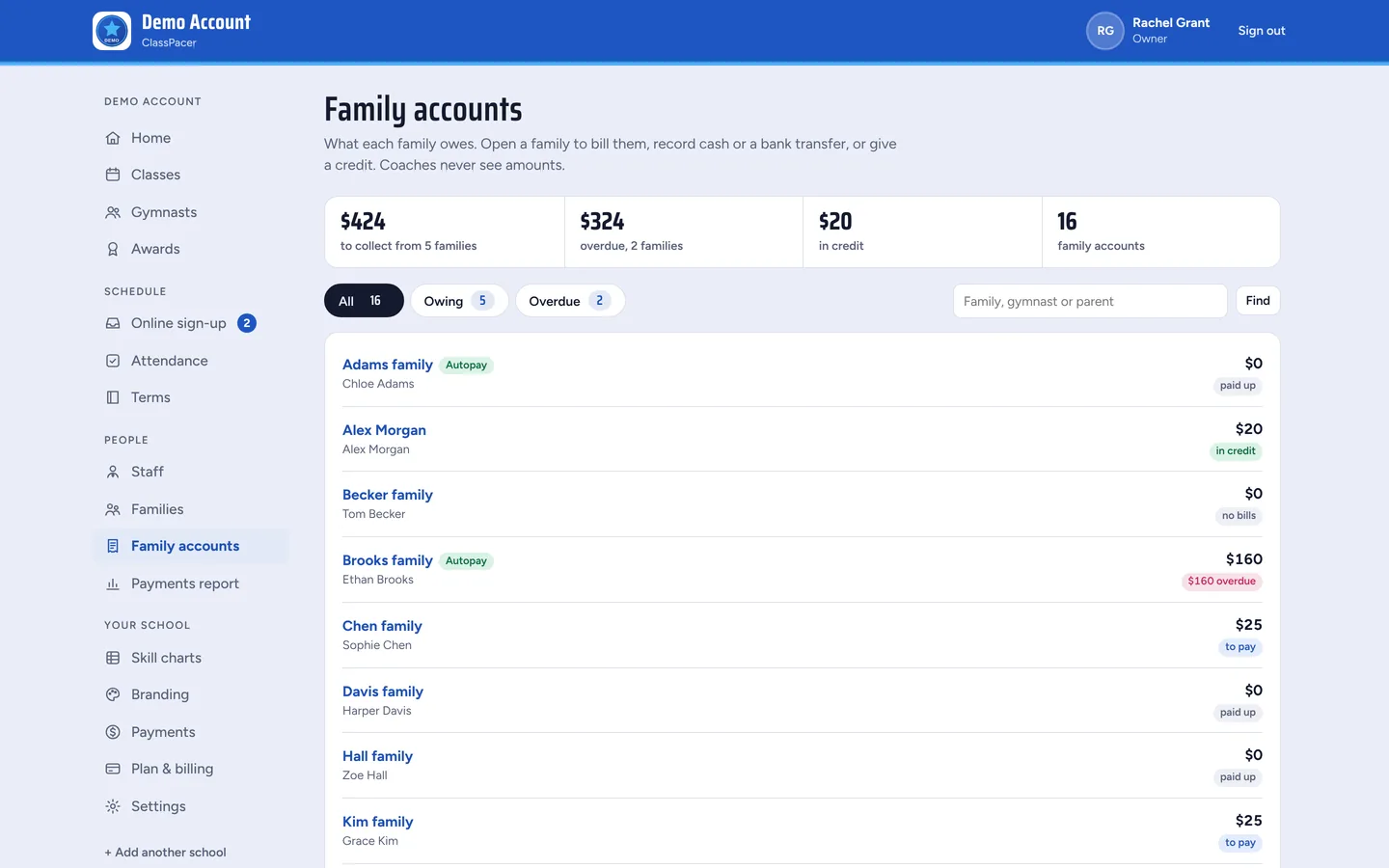
Family accounts with what each family owes

And more

The details that save you time

Spreadsheet import

Bring in students, parents, levels and classes from Excel or Google Sheets.

Several skill charts

One for each program you teach, like gymnastics and tumbling.

Your own words

Call them levels or belts, coaches or teachers, gymnasts or dancers.

Owners, admins and coaches

A main owner, co-owners and admins run the school. Coaches see their classes.

Profile photos

Faces for staff and students, so new coaches learn names fast.

Phone, iPad or computer

Nothing to install. It works in any up-to-date browser.

Try it with your own classes

Set up your school in a few minutes. Free for 30 days, no card needed.

Start your free trial