Ask ClassPacer · Plus plan
The assistant that knows your school.
Ask about your classes, students and families in plain words. ClassPacer answers in seconds and gets the work ready. Nothing changes until you tap Confirm.
Included in ClassPacer Plus, $69 a month per school.
What you can ask
Questions answered. Jobs done.
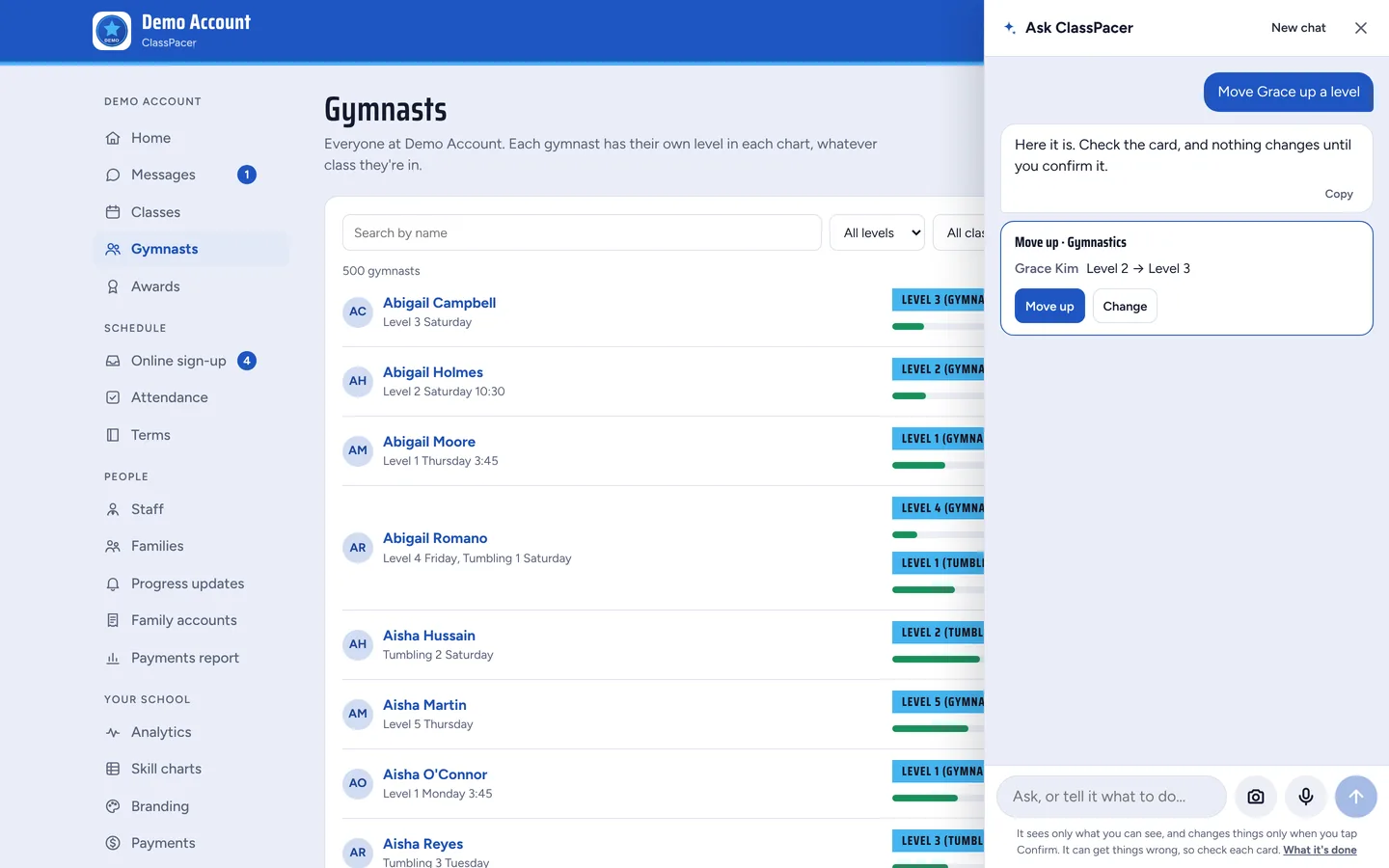
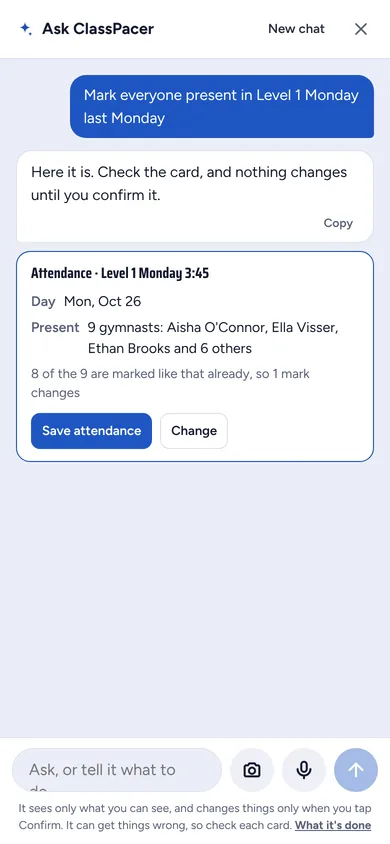
It looks things up in your school as you see it, then gets the change ready on a card. Check it, then confirm.
“Who's ready to move up?”
Finds students who mastered their level and gets the certificates and move-ups ready.
“Here's today's sign-in sheet”
Reads a photo of a paper roll or a sign-up form and fills in ClassPacer for you.
“Which families owe for October?”
Lists overdue families and drafts a friendly reminder to each one.
“Copy autumn into spring”
Copies a whole term's classes, and can change the prices while it's at it.
“Mark everyone present in Level 1”
Takes the roll for a class today, yesterday or last week.
“Write to families who missed class”
Drafts a “we missed you” email for you to read and send.
For everyone at your school
Owners, coaches and families each get their own answers
- Owners ask about anything, from bills to who's slipping, and get a summary email every Monday.
- Coaches take the roll and check off skills by asking, right from their phone.
- Families ask when their next class is, what to practise, or what they owe.
- Suggested for you on Home: the jobs it spotted, one tap to start.
You stay in charge
Careful by design
- It sees only what the person asking can already see.
- Every change is a card. Nothing happens until someone taps Confirm.
- Recent changes show in a history you can undo.
- You choose who can use it: owners only, or coaches and families too.
Can it change things on its own?
No. Every change comes as a card that shows exactly what will happen. Nothing changes until you tap Confirm, and recent changes can be undone.
What can it see?
Only what the person asking can already see in ClassPacer. A coach sees their own classes, and a family sees only their own children. An admin never sees money.
Who can use it?
Owners always. You choose whether coaches and families can ask too, in Settings.
How many questions do we get?
Plus includes 400 questions a month for your staff and 300 for your families. Your free trial includes 100 and 50, so you can try it before you choose a plan.
Does it always get things right?
It's good, but it can make mistakes, which is why every change waits for you to check the card and confirm it.
Ask your school anything.
Try Ask ClassPacer free for 30 days with the rest of ClassPacer. No card needed.
Start your free trial